AI-Driven Product Visualization & 3D Camera Control
01 Challenge
Product views from multiple angles classically require elaborate photo shoots, turntable photography or expensive 3D modeling.
02 Approach
Local deployment of Qwen Image Edit 2511 with a multi-angle LoRA that generates new camera perspectives from a single photo via azimuth and elevation.
03 Result
A single input photo yields new, geometrically consistent product views – without an actual 3D model and without product data leaving the premises.
Creating professional product photos is often a complex and costly process. Presenting products from multiple angles classically requires an elaborate photo shoot setup, turntable photography, or expensive manual 3D modeling.
In this portfolio entry, I present an innovative solution that uses the Qwen Image Edit 2511 model in combination with a specialized LoRA (Low-Rank Adaptation) for 3D camera control. This system makes it possible to generate realistic views from virtually any angle from a single input photo — without owning an actual 3D model.
The system runs locally on my hardware and leverages state-of-the-art AI technology trained on over 3,000 Gaussian Splatting renderings to simulate deep spatial understanding.
- Input photo
- 1
- is enough as a starting point
- Camera positions
- 96
- hemisphere around the object
- Training renders
- 3,000+
- Gaussian Splatting
- All-round view
- 360°
- plus variable elevation
Deep Dive: Qwen Image Edit & Multi-angle LoRA
The core of this solution is the Qwen Image Edit 2511 model, enhanced by the Multi-angle camera control LoRA (fal/Qwen-Image-Edit-2511-Multiple-Angles-LoRA). This combination, originally developed with the involvement of fal.ai, represents a breakthrough in image-based editing.
Why Gaussian Splatting Data?
The model was not simply trained on 2D images, but on 3,000+ Gaussian Splatting renders. Gaussian Splatting is a modern technique for representing 3D scenes. By training on these synthetic data, the AI has “learned” how objects behave in space when the camera moves. This enables consistent perspective changes where light and shadow logically follow along.
96 Camera Positions
The LoRA provides granular control over 96 defined camera positions. These positions cover a hemisphere around the object, meaning we can view the product from all sides (360 degrees horizontally) as well as from various heights (elevation).
Local Implementation & Workflow
A key advantage of this setup is local executability. Since sensitive product data often cannot leave the premises, I deployed the model locally. Interaction happens through an interface that allows precise control over generation parameters.
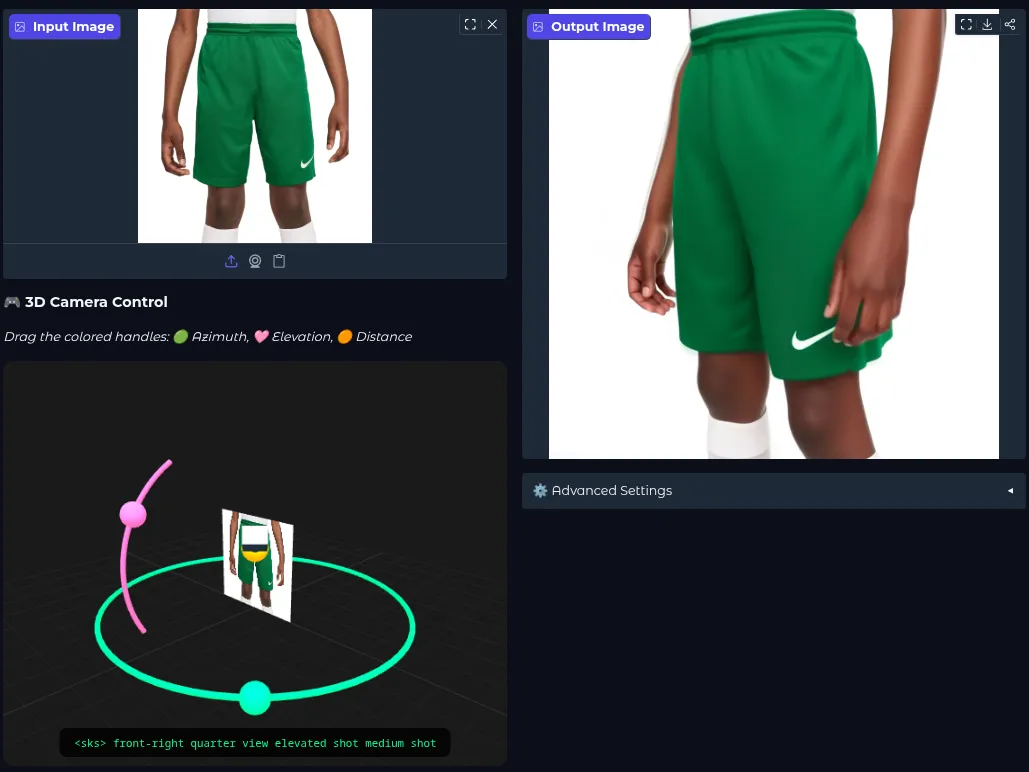
The Process in Detail
- 01Image IngestionLoad the source image, ideally cut out or with a defined backgroundInput
- 02Angle SelectionSet the target perspective via horizontal rotation and vertical tiltazimuth · elevation
- 03InferenceThe model generates the image from the new perspectiveQwen + LoRA
- 04RefinementOptional post-processing such as upscaling for the final lookUpscaling
- Image Ingestion: The source image is loaded. A clean background removal or a defined background is important here to avoid artifacts.
- Angle Selection: Parameters such as
azimuth(horizontal rotation) andelevation(vertical tilt) define the target perspective. - Inference: The model computes the new image. Unlike classical 3D renderers that calculate geometry, the AI “dreams” the image anew based on its spatial understanding.
- Refinement: Optional post-processing steps (e.g., upscaling) provide the final, print-ready look.
Use Case: Revolution in E-Commerce
For online shops, comprehensive product presentation is critical for conversion rates. Customers want to be able to “touch” products, which is simulated digitally through views from all sides.
Classic product photography
- Photo shoot setup or turntable per product
- Alternatively, expensive manual 3D modeling
- A new perspective means a new shoot
- Inconsistent material from different sources
AI-driven camera control
- A single photo as the starting point
- No 3D model required
- New perspective via parameters, not bookings
- Uniform viewing angle across the whole catalog
Concrete Benefits for Companies
- Massive Cost Efficiency: A single photo from the manufacturer or prototype is enough to fill an entire gallery for the web shop.
- Fast Iteration & A/B Testing: Marketing teams can test whether a product sells better in a top-down view or a 45° angle — without booking a new photo shoot.
- Catalog Consistency: You can define that all shoes in the shop are shown at exactly a 30° angle. The AI normalizes uneven source material to this standard.
- Interactive Experiences: By generating an image sequence (e.g., every 10 degrees), cost-effective “spinning” effects (360° views) for product pages can be created.
Results
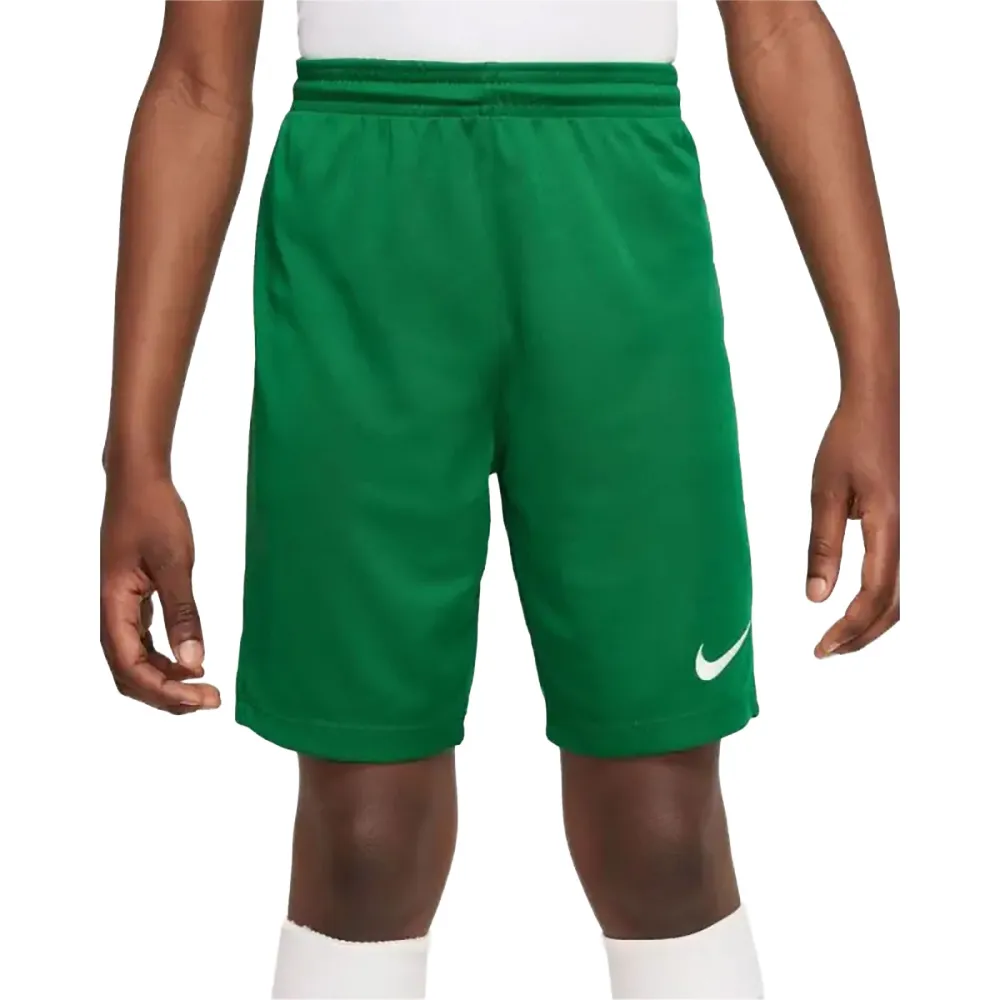
Here we see how the model interprets the same product from new perspectives. Note how the object’s geometry remains consistent even though no actual 3D data existed.
 Generated side view (simulated camera angle)
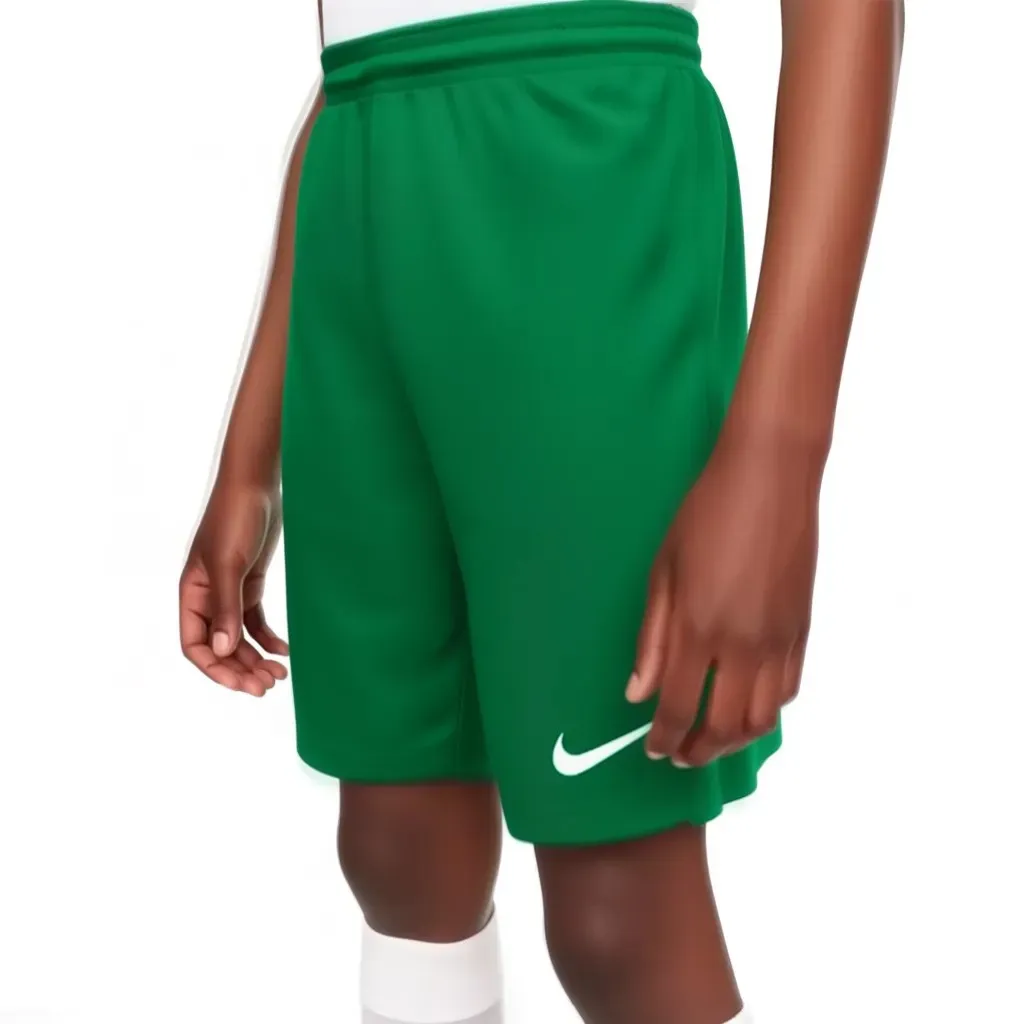 Generated top view (simulated camera angle)
Conclusion
This project impressively demonstrates how generative AI not only accelerates traditional workflows in media production, but qualitatively expands them by bridging the gap between 2D photography and 3D rendering.